Your pool water, from one photo.
Photograph the test strip next to its bottle. AquaDosis reads it on your phone and tells you which product to add and how much.
For Android 7.0 and later. One-time purchase, no ads, no subscription.
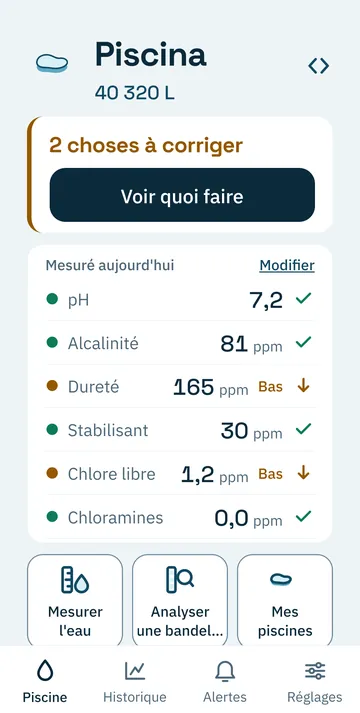
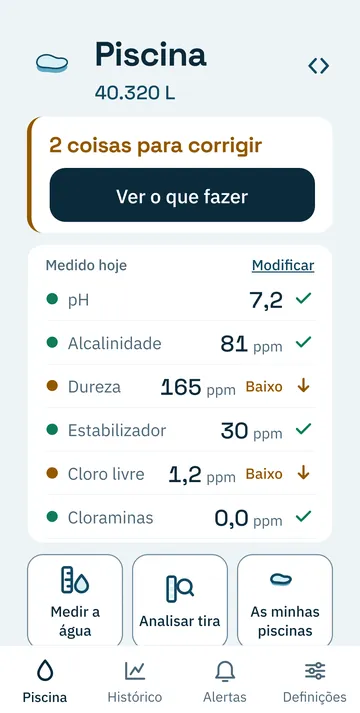
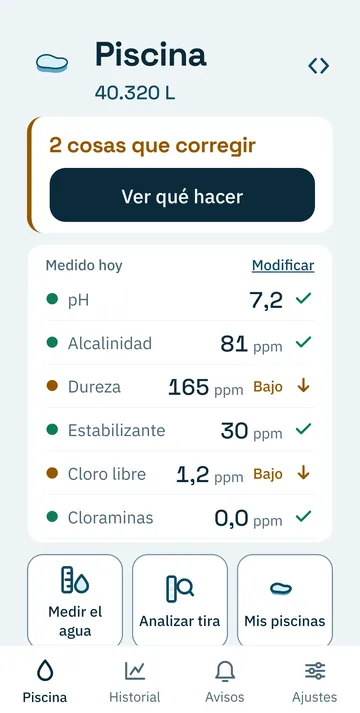
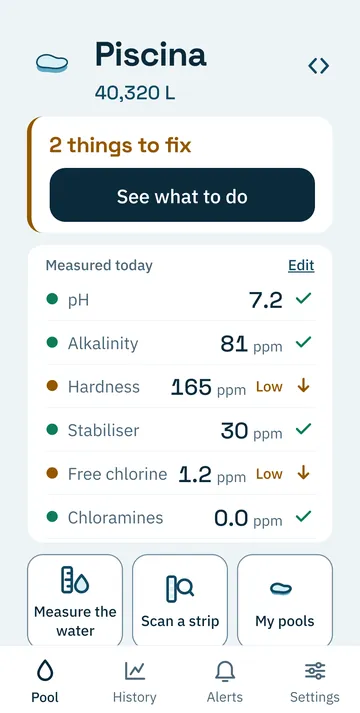
- pH7.2In range
- Alkalinity81ppmIn range
- Hardness165ppmLow
- Stabiliser30ppmIn range
- Free chlorine1.2ppmLow
- Chloramines0.0ppmIn range
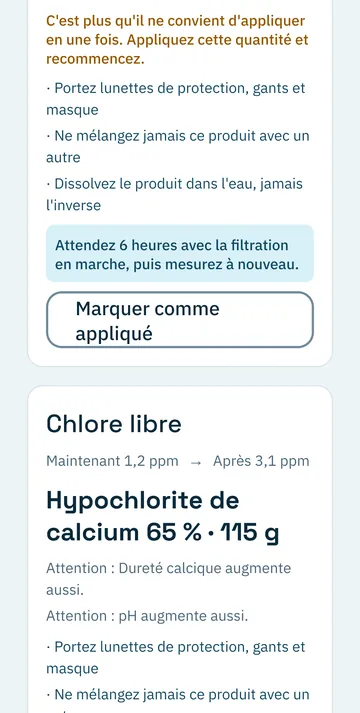
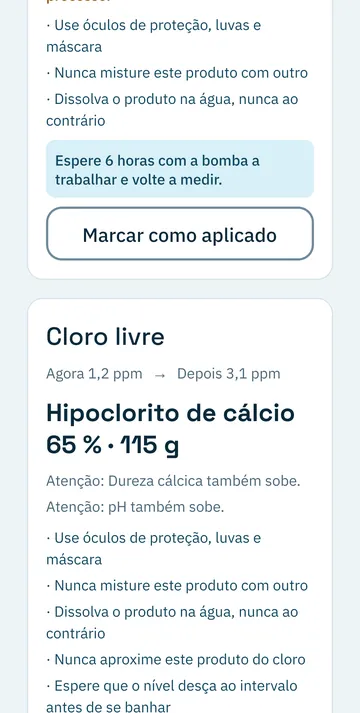
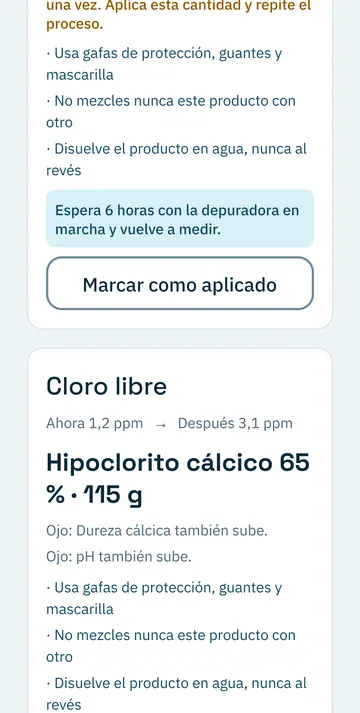
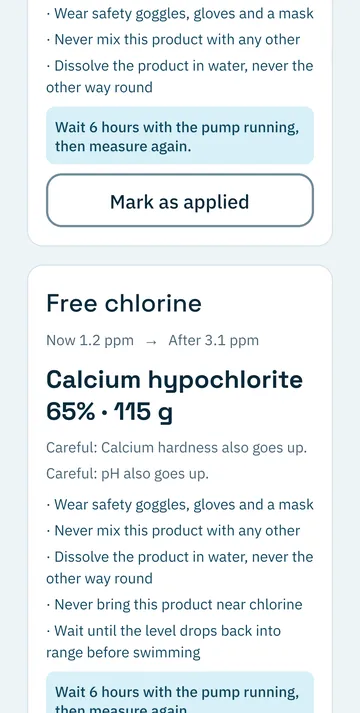
Free chlorine, for 40,320 L: from 1.2 to 3.1 ppm
Calcium hypochlorite 65%, 115 gWait 6 hours with the pump running, then measure again.
From strip to dose, in four steps
AquaDosis compares every pad with the colour chart on the bottle itself, in the same photo and under the same light. The photo is analysed on the phone and never leaves it.
-
Take the photo
The strip next to the bottle, with the colour chart in view. If you prefer your usual reagent kit, type the values in.
-
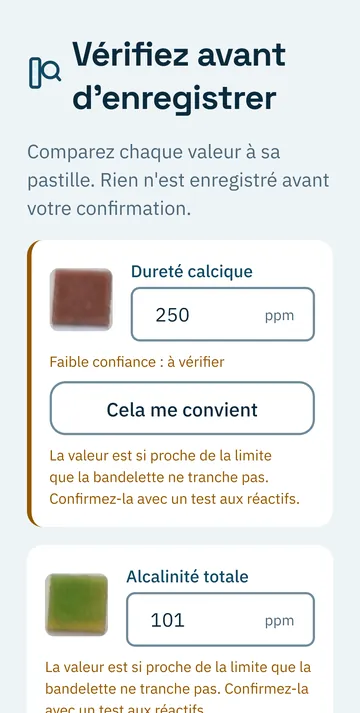
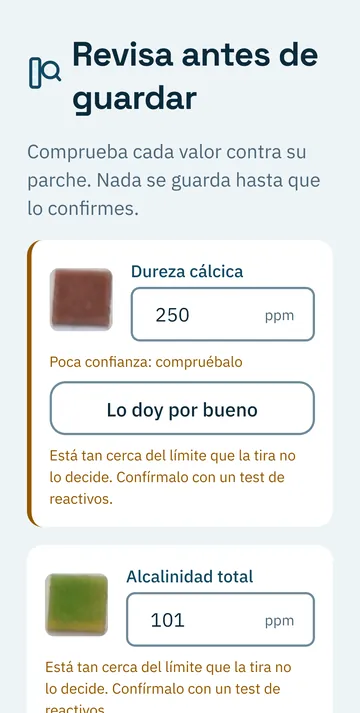
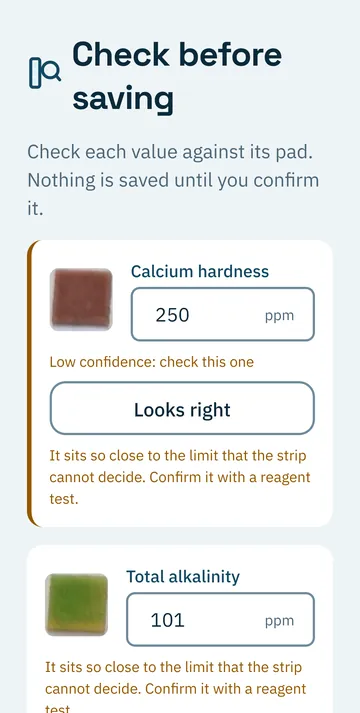
Check the reading
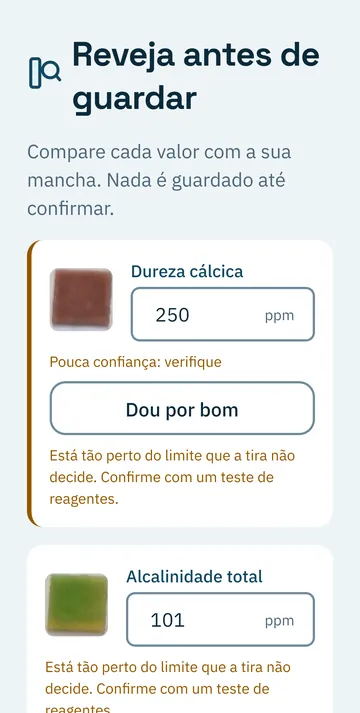
You see every pad next to the value it read. Nothing is saved until you confirm it, and it tells you when the strip is not enough to decide.
-
Add what it needs
How much product for your volume, by active ingredient rather than brand. When a dose is large, it splits it.
-
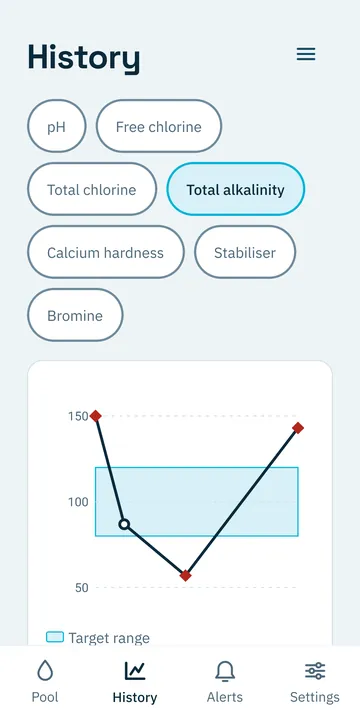
Measure again
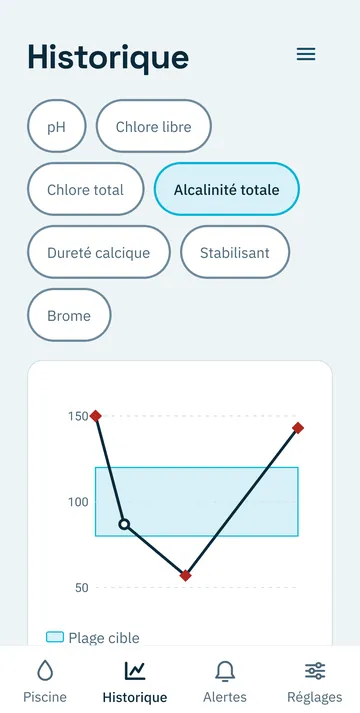
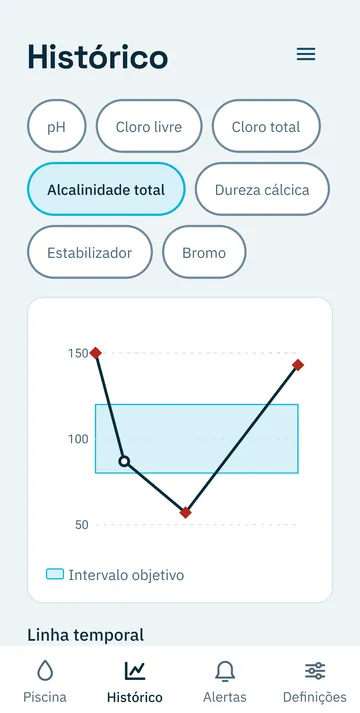
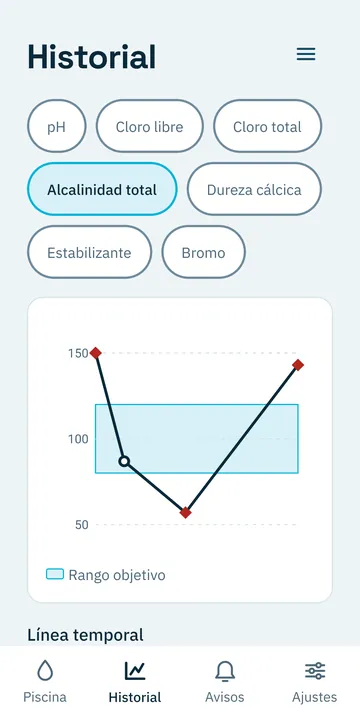
It tells you how long to wait and can remind you. The history shows whether the water is getting better or worse.
What else it does
- Several pools
- Each with its own volume, shape and treatment.
- Flags side effects
- When a product moves another parameter, such as pH, it tells you before you add it.
- Reminders
- To measure and to check on what you applied. They are scheduled on the phone itself.
- History with charts
- Each parameter against its target range, reading by reading.
- Your own backup
- You export and import it yourself, and keep it wherever you like.
- Four languages
- Spanish, English, French and Portuguese.
Pay once.
Google Play shows the price for your country.
- No subscription
- No in-app purchases
- No ads, no accounts, no cloud
Your readings stay on your phone
No accounts, no server
Pools, readings, treatments and reminders are stored only on the phone. 320pixel receives none of them.
The photo stays put
It is analysed on the phone. The temporary copy is deleted the next time you open the app.
What does go to Google
ML Kit, the library that reads the colour chart, sends Google technical usage and diagnostic data, never your photos or readings.
Specifications
| Platform | Android 7.0 or later |
|---|---|
| Version | 1.0.3 |
| Parameters | pH, free and total chlorine, total alkalinity, calcium hardness, stabiliser and bromine |
| Languages | Spanish, English, French and Portuguese |
| Permissions | Camera, notifications, vibration, run at startup and internet |
| Data | On the phone. No accounts, no cloud, no ads |
| Developer | 320pixel |
| Contact | play-aquadosis.googl.glowworm197@passinbox.com |